Remote access to the router portal
Remote access allows managing the Centro Business 3.0 from an external location — without being on-site. Swisscom provides two methods:
- Superadmin (HTTP) — Temporary access via the My Swisscom Business Portal. Restricted: no sensitive data visible.
- Techadmin (HTTPS) — Full write access over an encrypted connection. Ideal for IT partners.
Differences between the access roles are documented under "Access to the router portal".
Typical use cases
- IT partner / Managed Services: Remote maintenance without travel — configuration changes, troubleshooting, firmware checks
- Temporary support: Grant an external service provider time-limited access
- Multi-site management: Manage multiple routers from a central location
Conditions
- Router portal login credentials are known
- Access to the My Swisscom Business Portal is available
Instructions
Prepare & Share: Set up techadmin access
While logged in as admin (customer/owner), an initial password for "techadmin" must be set in the router portal under Internet → Basic Settings. This allows the admin to decide whether to make this access available to their IT partner.
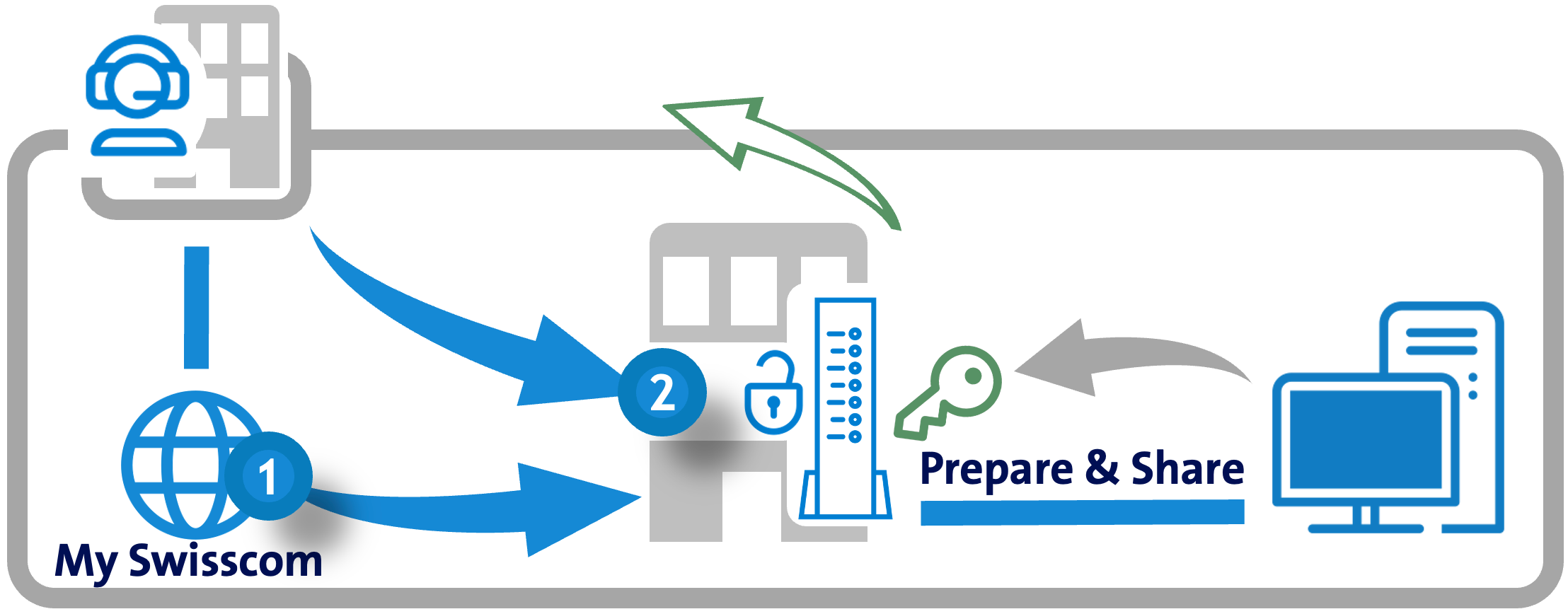
The access profile of "techadmin" is identical to that of "admin" — with one exception: techadmin cannot view or change the router access password.
Only one user role at a time can access the router portal.
Step 1: Start "superadmin" remote access
- Log in to the My Swisscom Business Portal
- Navigate to Internet → Router Settings → Access outside the office
- Temporarily activate and open the "superadmin" role
Step 2: Switch role to "techadmin"
- After the superadmin login, navigate to Internet → Basic Settings in the router portal
- Activate the "techadmin" role (ON → Save)
- Automatic logout occurs — log in as "techadmin" on the login page
Depending on the browser, the page may need to be refreshed manually after logout.
Limitations
- Remote access is not possible with the subscriptions Business Network Solutions (BNS) or Enterprise Connect S (EC-S). Configuration for these subscriptions is done directly in the My Swisscom Business Dashboard.
- Remote access cannot be left open permanently (automatic timeout function).
FAQ - Remote access to the router portal
Where can I find an overview of the rights of the different access profiles?
The table can be found under "Access to the router portal".
Can remote access be kept open permanently?
No. Swisscom prevents remote access from being left open permanently. A permanent opening poses a significant security risk and can make the network vulnerable to unauthorized access or DDoS attacks.
Does the customer (admin) need to be involved for every remote access?
Only during the initial setup. Once the techadmin password is set, the IT partner can start remote access independently via the My Swisscom Business Portal — provided they have portal access.
What happens if the connection is interrupted?
If the connection is interrupted, the session is automatically terminated. Remote access must then be restarted.
Is something missing here? Give us your feedback!
Help us improve the CB-Guide. Let us know what content you are missing or how we can improve.
Send feedback