Backup and Restore
The Centro Business offers the option to save/export the personal or manual configurations of the router in a file within the router portal and, for example, restore them on a replacement device.
For complex manual local router configurations, a regular backup is recommended!
Set yourself a reminder now (1-2 times a year)
--- In the event of a router replacement or a factory reset, a time-consuming re-configuration can be avoided. Important: - A backup from a Centro Business 2.0 can also be restored on a Centro Business 3.0. - Backup files created with much older firmware are not compatible in every case. 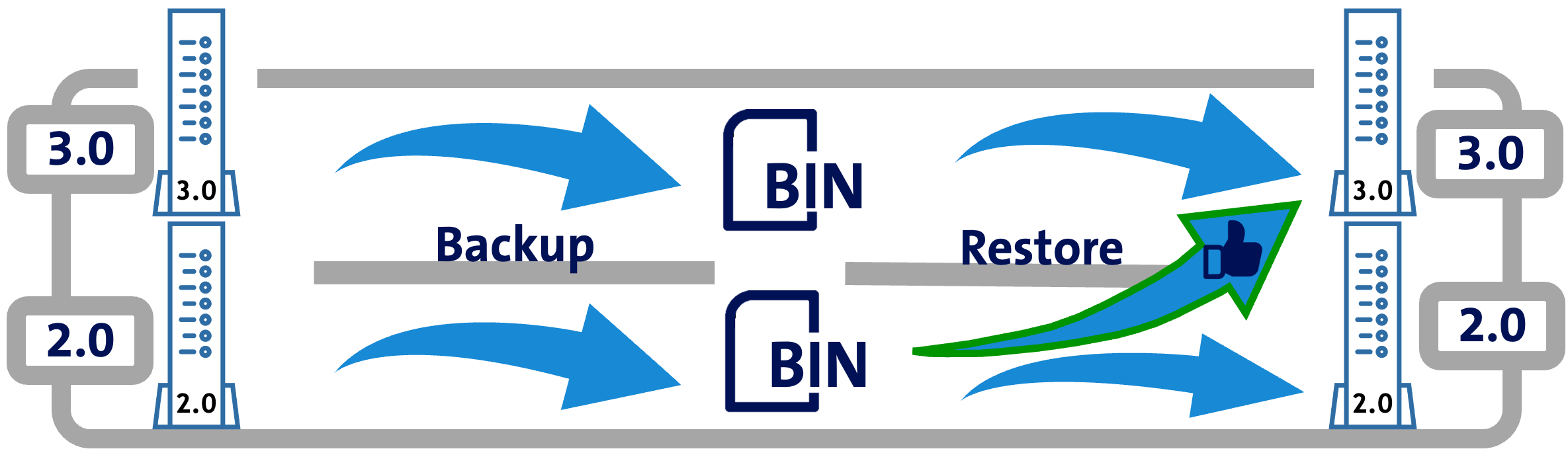
Note The ".bin file" generated by the backup may contain sensitive data, such as DynDNS credentials. This file must be handled securely and protected.
Perform Backup and Restore
Save configurations as a "Backup"
Saving generates a BIN file with the following filename.
Example: config_SX_7722 _ 100402 _ 2024-11-12T172720.bin
-
SX_7722 = Centro Business 3.0 10XXXX = Firmware Date+Timestamp
-
SF_6840 / ST_6840 = Centro Business 2.0 9XXXX = Firmware Date+Timestamp
Certain internet browsers/operating systems (OS) require consent for the file download to the computer. Without this consent, the file remains corrupt.
Restore "Backup"
Various functional areas can be selected for what should be restored from the backup (everything is selected by default):
- Routing & Firewall (includes firewall,port forwarding,public addresses,appliances,router)
- Network Basic Settings
- Devices
- DynDNS
- USB Storage
- Static Routing
- Peer-to-Peer VPN
- IP Phone
- Manual DNS Settings
- WLAN Not recommended as conflicts may occur with Easy-Activation
- Techadmin
- Tel. Line Settings
FAQ - Backup & Restore
Are all router settings saved in the backup?
No, certain essential settings are synchronized with Swisscom via device management. Details at: Easy-Activation explained
Can a backup file from a Centro Business 2.0 also be installed on a Centro Business 3.0?
Yes, provided the Centro Business 2.0 backup was created with a newer firmware version.
Can a backup file from a Centro Business 1.0 also be installed on a Centro Business 2.0 or 3.0?
No, unfortunately not! Centro Business 1.0 is no longer supported by Swisscom (PhaseOut end of 2025).
What should be considered when re-installing a backup file on my router?
If technical problems were the cause of a router replacement or factory reset, one should be cautious about reusing a previous configuration, as it may have been the trigger for the original problems.
Is this "Backup & Restore" procedure also supported via "Remote"?
Yes, this is particularly interesting for IT administrators who are not located on-site. They can activate router access via "My Swisscom Business" for the respective location and thus either create a backup (.BIN file) and secure it centrally. Likewise, such a configuration can be restored. This procedure leads to an immediate router restart!
Note: In remote access, the router portal reacted somewhat slowly, so please be patient.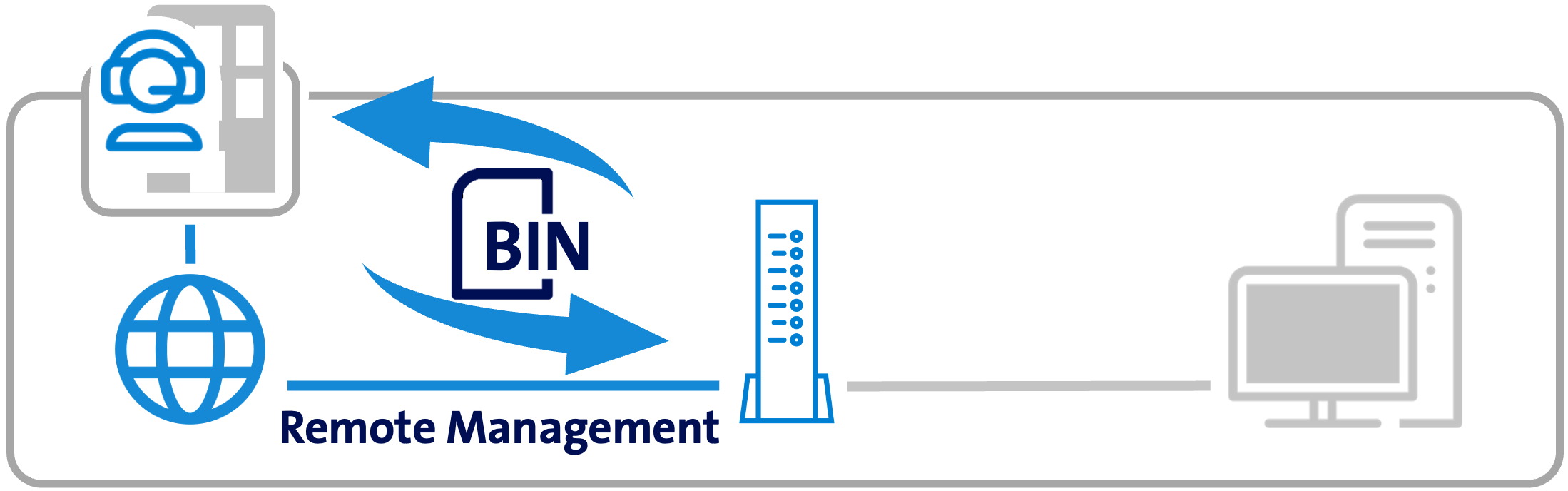
Is something missing here? Give us your feedback!
Help us improve the CB-Guide. Let us know what content you are missing or how we can improve.
Send feedback